

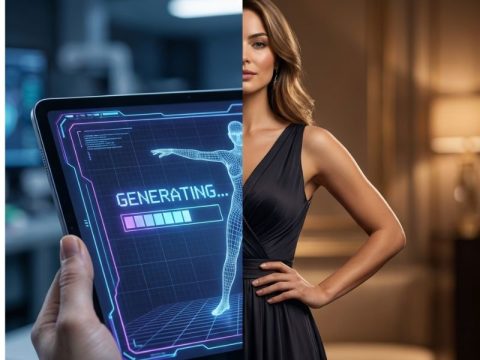
Generating sexy AI images is a simple process that combines AI image generation models, text prompts, and visual customization options to create sensual, attractive, or NSFW-style images. In short, you choose an AI image generator, describe the look, mood, pose, and style you want, customize details like body type and outfit, and let the AI generate high-quality images based on your input. Modern sexy AI generators make this process fast, private, and accessible without design or photography skills.
Things to Know Before Getting Started
- Prompt specificity directly affects image quality: AI image generators rely heavily on text prompts. The more precise your description (body type, pose, mood, lighting, angle), the more accurate and realistic the generated image will be.
- Not all AI image generators support adult content: Many popular AI art tools block NSFW or erotic prompts. Using a platform designed for sexy or adult AI image generation like Cherrypop AI ensures fewer restrictions and better visual consistency.
- Realism depends on model training and settings: Some generators produce stylized or fantasy-like visuals, while others focus on photorealistic human anatomy, skin texture, and facial details. Knowing the platform’s strengths helps set realistic expectations.
- Iteration is part of the process: First outputs are rarely perfect. Refining prompts, adjusting modifiers, and regenerating images is normal and expected for high-quality results.
- Image resolution and aspect ratio matter: Higher resolution settings produce sharper images but may take longer or require more credits. Choosing the correct aspect ratio (portrait, square, full-body) improves composition.
- Lighting and environment are critical visual elements: AI responds strongly to lighting cues like soft light, dramatic shadows, studio lighting, or ambient glow. Background context also influences mood and realism.
- Overloading prompts can reduce accuracy: Adding too many traits, poses, or conflicting instructions can confuse the model. Clear, structured prompts work better than long, unorganized descriptions.
- Anatomy and proportions vary by prompt clarity: Vague prompts may result in distorted hands, facial asymmetry, or unnatural poses. Including realistic descriptors helps reduce visual artifacts.
- Privacy and data handling should be considered: Choose platforms that keep generated images private and give users control over saved content, downloads, and visibility.
- Different styles require different prompt language: A sensual, romantic image uses different wording than a bold, erotic, or artistic composition. Matching language to intent improves output quality.
How To Generate (Step-by-Step)
Step 1: Choose the Right Sexy AI Image Generator
Start with a platform built specifically for adult or sensual AI image generation. General AI art tools often restrict NSFW prompts, which leads to blocked outputs or heavy filtering. A sexy AI generator should support:
- Adult-only content settings
- High-resolution image output
- Prompt flexibility without excessive censorship
- Visual customization options
Choosing the right platform sets the foundation for quality and consistency.
Step 2: Decide the Image Goal Before Prompting
Before writing any prompt, clarify what you want to generate. Ask yourself:
- Is the image realistic or stylized?
- Is it flirty, sensual, romantic, or explicit?
- Is it a close-up, half-body, or full-body image?
- What emotion or mood should the character express?
Having a clear goal prevents conflicting instructions and improves accuracy.
Step 3: Build a Structured Prompt (Core Description)
Start with the core visual description:
- Adult subject description (gender, body type, features)
- Facial expression and emotional tone
- Pose and posture
- Outfit or clothing state
- Overall aesthetic or vibe
Example structure:
“High-quality realistic sexy AI image of an adult woman with confident expression, soft curves, relaxed pose, intimate mood…”
This core prompt anchors the AI’s understanding of the image.
Step 4: Add Visual Enhancers and Modifiers
Once the base prompt is set, enhance it with visual details:
- Lighting: soft light, warm glow, studio lighting, cinematic shadows
- Camera: close-up, shallow depth of field, portrait angle
- Texture: realistic skin, natural proportions, smooth lighting
- Environment: bedroom, studio, neutral background, minimal setting
These modifiers significantly improve realism and atmosphere.
Step 5: Adjust Generator Settings (If Available)
If the platform allows manual controls, fine-tune them:
- Resolution or image quality
- Aspect ratio (portrait works best for character images)
- Realism vs artistic style slider
- Background complexity
Avoid maxing out all settings at once—balance quality and speed.
Step 6: Generate and Review the Output Carefully
After generation, evaluate the image objectively:
- Does the anatomy look natural?
- Is the expression aligned with the mood?
- Are proportions and lighting realistic?
- Does the image match your prompt intent?
Most improvements come from reviewing and refining, not restarting.
Step 7: Refine the Prompt Based on Results
Instead of rewriting everything, tweak one element at a time:
- Adjust pose clarity if posture looks unnatural
- Simplify clothing details if results are inconsistent
- Add realism cues if the image looks artificial
- Reduce prompt length if the output feels confused
Small changes often produce big improvements.
Step 8: Regenerate Variations for the Best Result
Generating multiple versions with slight prompt variations helps you find the most visually pleasing result. This is especially useful when:
- Testing different lighting styles
- Refining facial expressions
- Improving body proportions
Save successful prompts for future use.
Step 9: Save and Manage Generated Images Responsibly
Once satisfied, save the image securely. Make sure you understand:
- Whether images are stored privately
- How long content is retained
- Whether you can delete or regenerate anytime
Responsible usage ensures a safer and better long-term experience.
Step 10: Experiment and Improve Over Time
The best results come from experience. As you generate more images, you’ll learn:
- Which prompts work best
- How much detail is enough
- What styles the AI handles well
- How to avoid common visual errors
Sexy AI image generation improves with practice and refinement.
Conclusion
Generating sexy AI images becomes easy and rewarding once you understand how prompts, visual settings, and iteration work together. By choosing the right platform, writing clear descriptions, refining details step by step, and experimenting with small adjustments, you can consistently create high-quality, realistic results without technical skills. With the right approach, sexy AI image generation is less about trial and error and more about creative control and precision.
Related Content
A 360-Degree Analysis of the 2026 “Living Waifu” Industry
Tallinn After Dark Has a Very Different Personality Than Daytime
Mature Style Sex Dolls Are More Than an Age Label
The Scroll Never Ends Because Nothing In It Is Looking Back
Hungarian Adult Stars Who Became Popular Showing Their Unfiltered Selves
From Features to Price Here’s What Cam Models Love About Domi Sex Toys